5. Configuring SPS Haptics (SPS Required)
Note
This page is automatically translated from Japanese to English. Please refer to the original Japanese page for the most accurate information.
Note
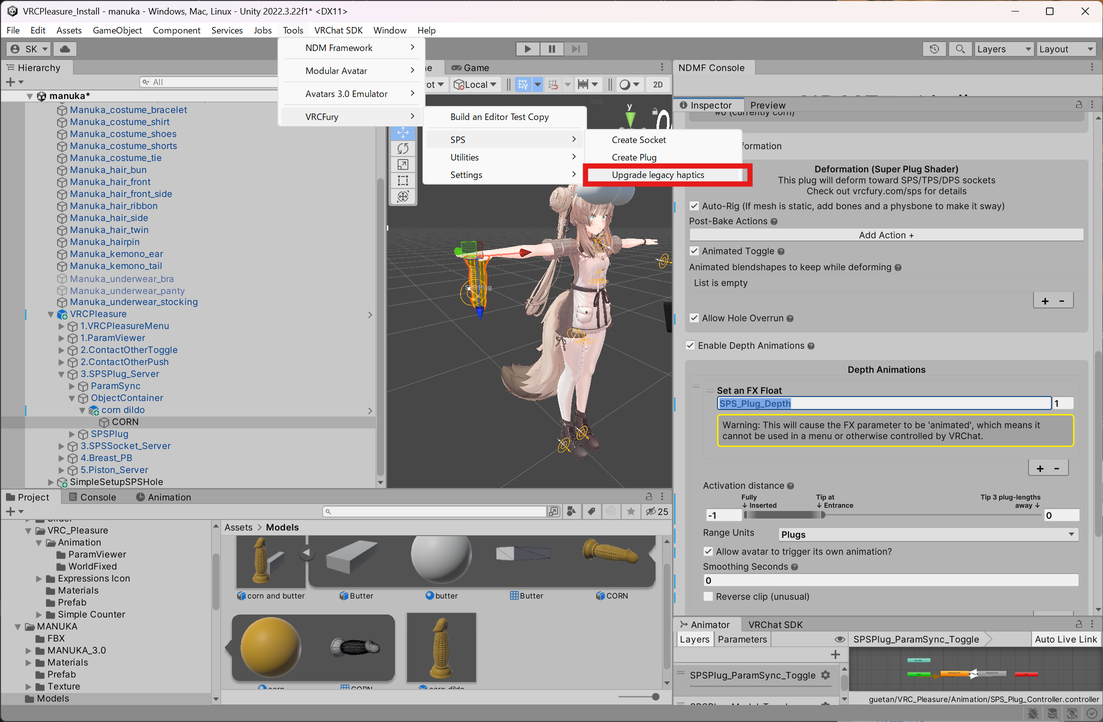
Depending on your VRCFury version, the Tools/VRCFury/SPS/Upgrade legacy haptics menu may not appear in the toolbar. If it is not present, you can skip this step.
Finally, select Tools/VRCFury/SPS/Upgrade legacy haptics from the toolbar.
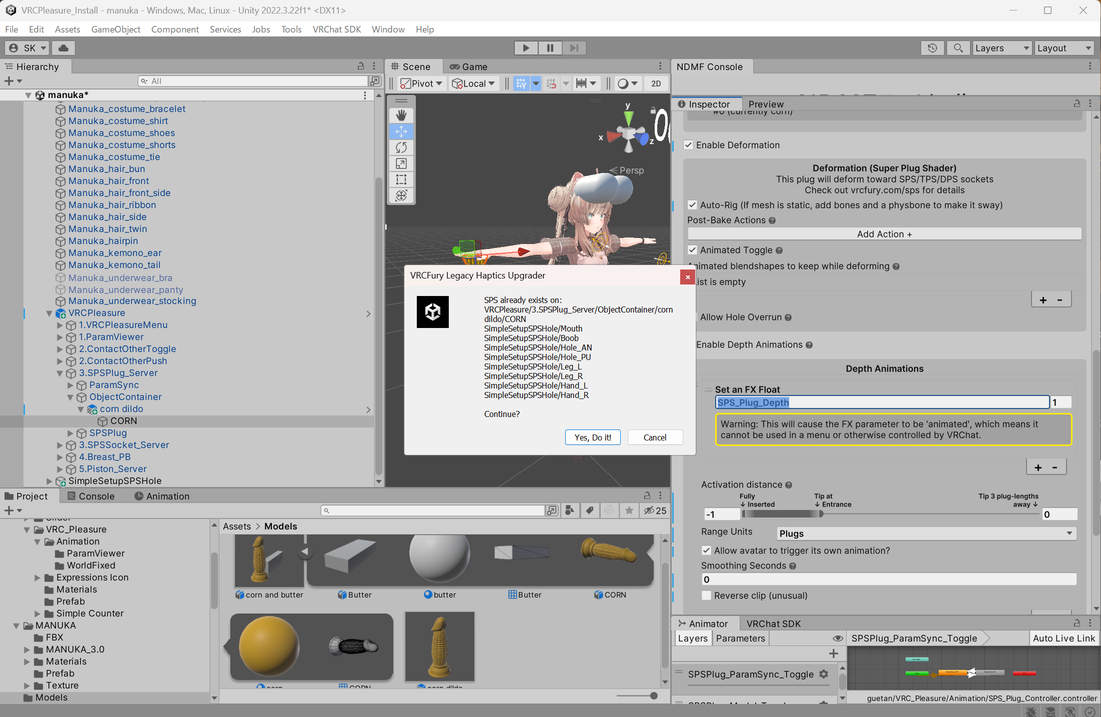
A confirmation dialog will appear; press Yes, Do it!.
If "Upgrade Complete" is displayed, the process was successful.
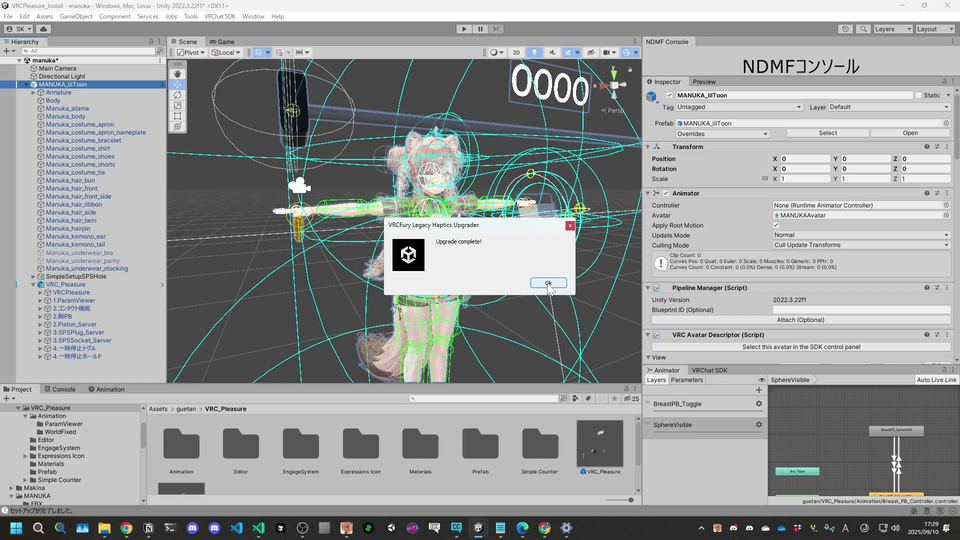
After this, you can upload your avatar.