4. Modifying and Configuring the SPS Model
Note
This page is automatically translated from Japanese to English. Please refer to the original Japanese page for the most accurate information.
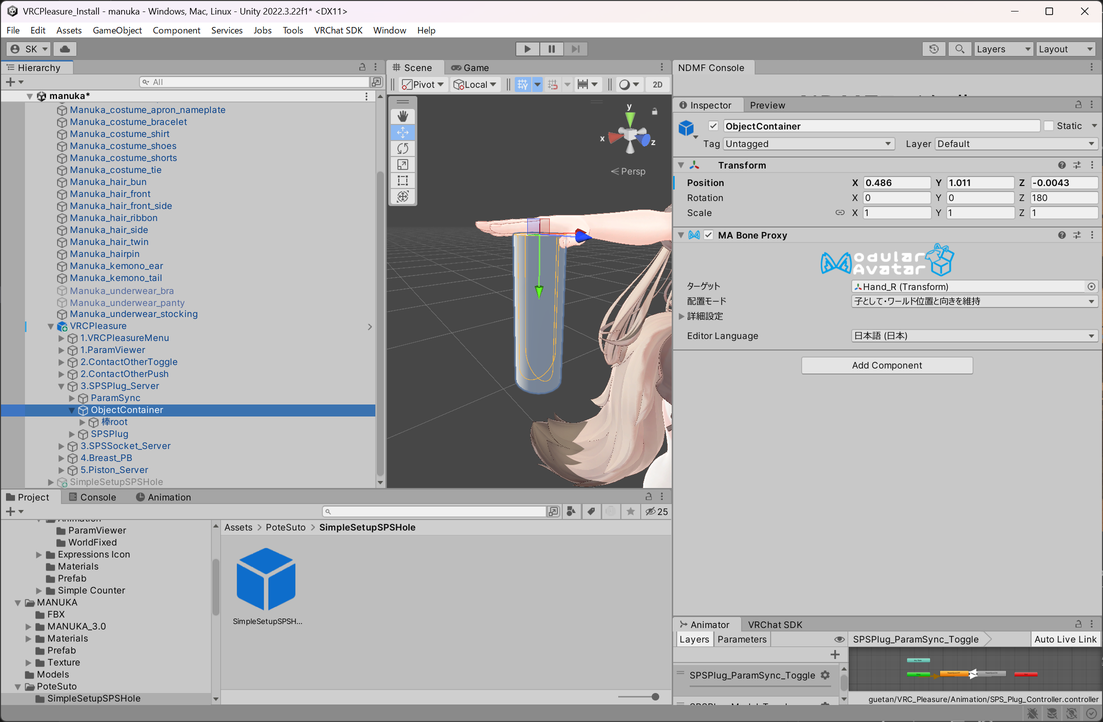
Setting the Position of the Plug Model
First, place 3.SPSPlug_Server/ObjectContainer in your desired location.
Then, set the bone you want to follow to MA Bone Proxy.
Note
If you do not use the model on/off function of VRCPleasure, place it at any position on the avatar.
Replacing the Plug Model
Here, let's try setting it up using Corn Dildo (Free).
Delete the sample setting 棒root (Rod Root), place the model you want to replace inside SPSPlug_Server/ObjectContainer/, and adjust its position and scale.
Reconfiguring the SPS Plug
Run Tools/guetan/VRC_Pleasure Auto-Setup again, press the search button for SPSPlug/Socket, and confirm that the added Plug is detected.
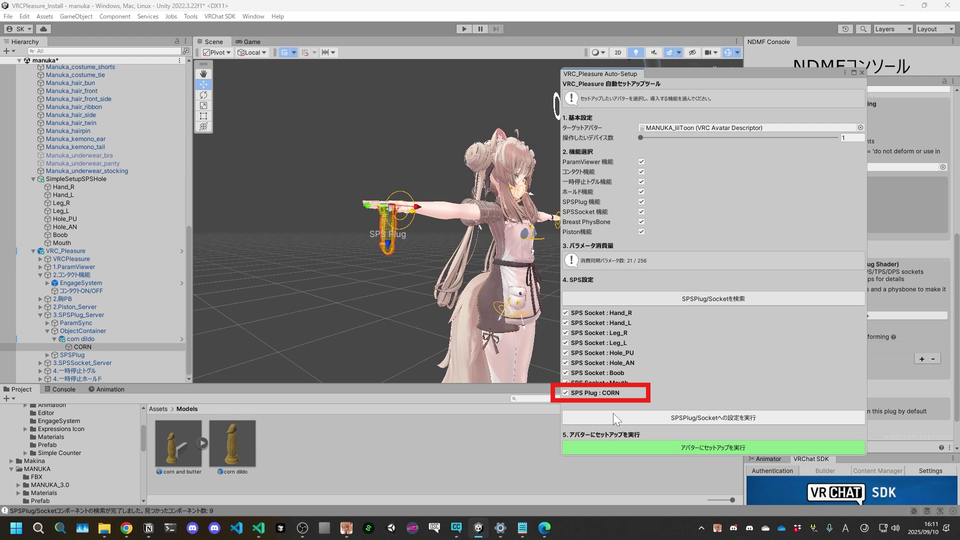
Then, press Execute setting for SPSPlug/Socket.
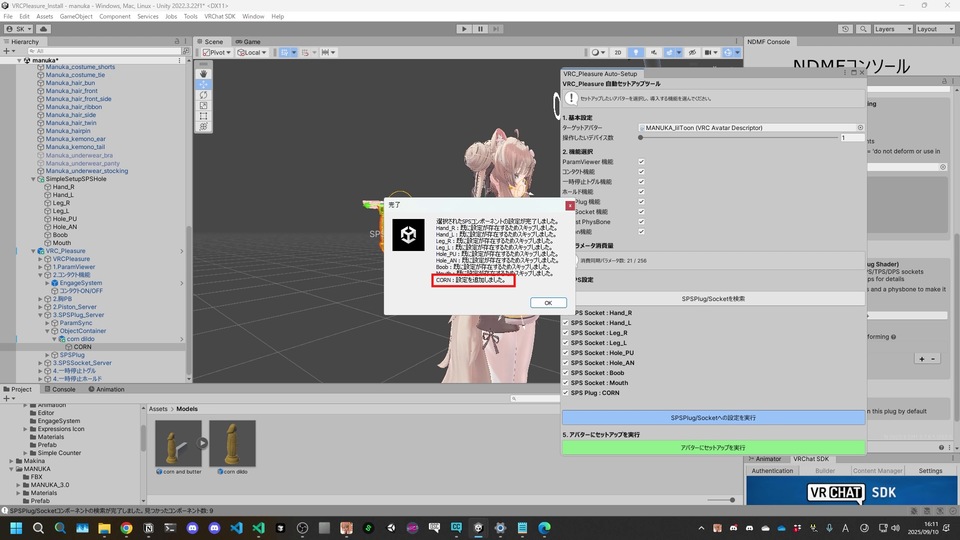
If a dialog appears saying Skipped because settings already exist or Settings added, it is successful.
Warning
Be careful not to press Execute setup on the green avatar again, as this will reset the position adjustments.