2. Auto-Setup
Note
This page is automatically translated from Japanese to English. Please refer to the original Japanese page for the most accurate information.
Select Tools/guetan/VRC_Pleasure Auto-Setup.
-
Set the avatar you want to introduce the system to as the target avatar.
-
Select the number of devices you want to connect and operate.
Note
A device with multiple functions should be counted as the total number of its functions.
-
Select the required functions in the Function Selection.
-
Press
Search SPSPlug/Socket.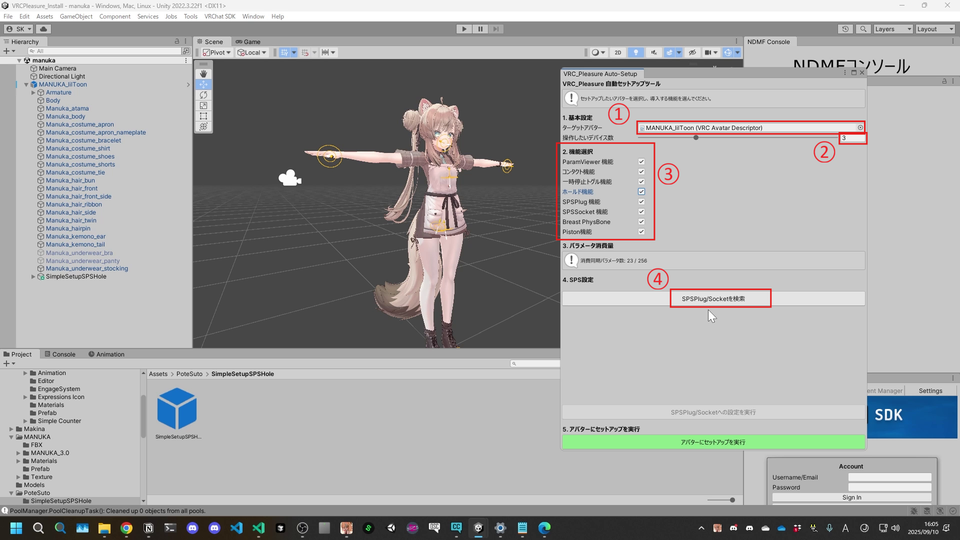
After pressing Search, confirm that all configured SPS Sockets/Plugs have been detected.
-
Press
Execute Setup for SPSPlug/Socket.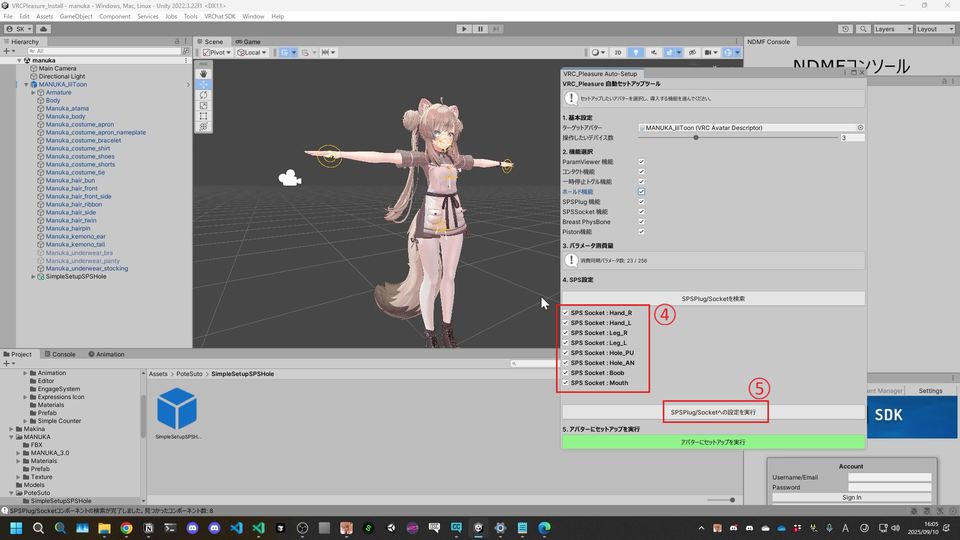
If a dialog appears saying "Added to all," it is successful.
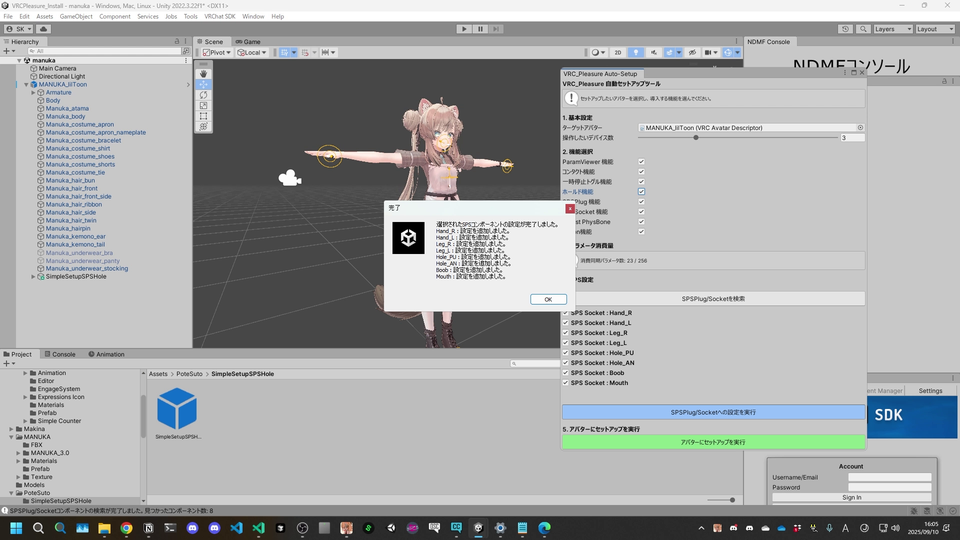
-
Finally, press
Execute Setup on Avatar. If the gimmick is added to the avatar, it is successful.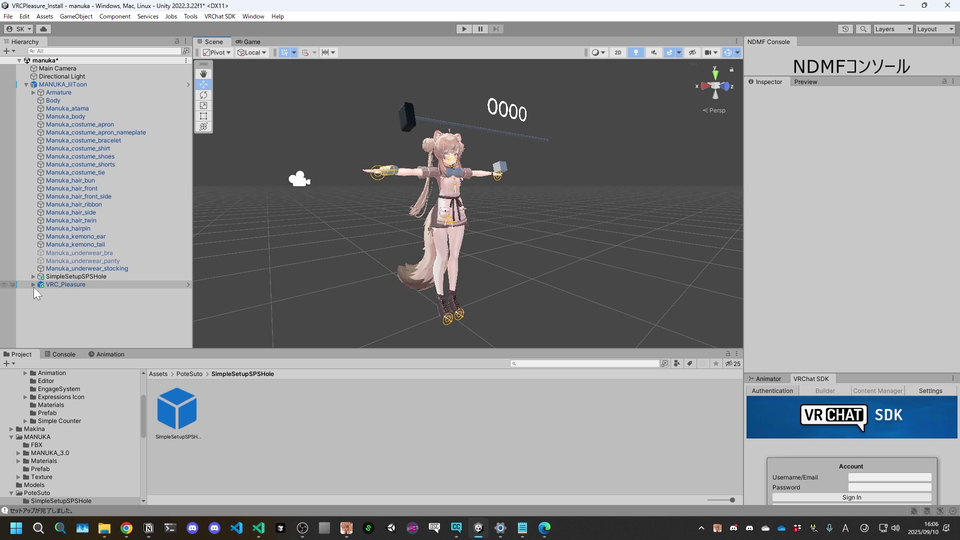
Warning
If the gimmick is already added to the avatar, pressing
Execute Setup on Avatarmay reset the settings or add duplicate gimmicks. If you need to reconfigure, be sure to delete theVRCPleasureobject before pressingExecute Setup on Avataragain.